One secure bridge between your AI and your apps

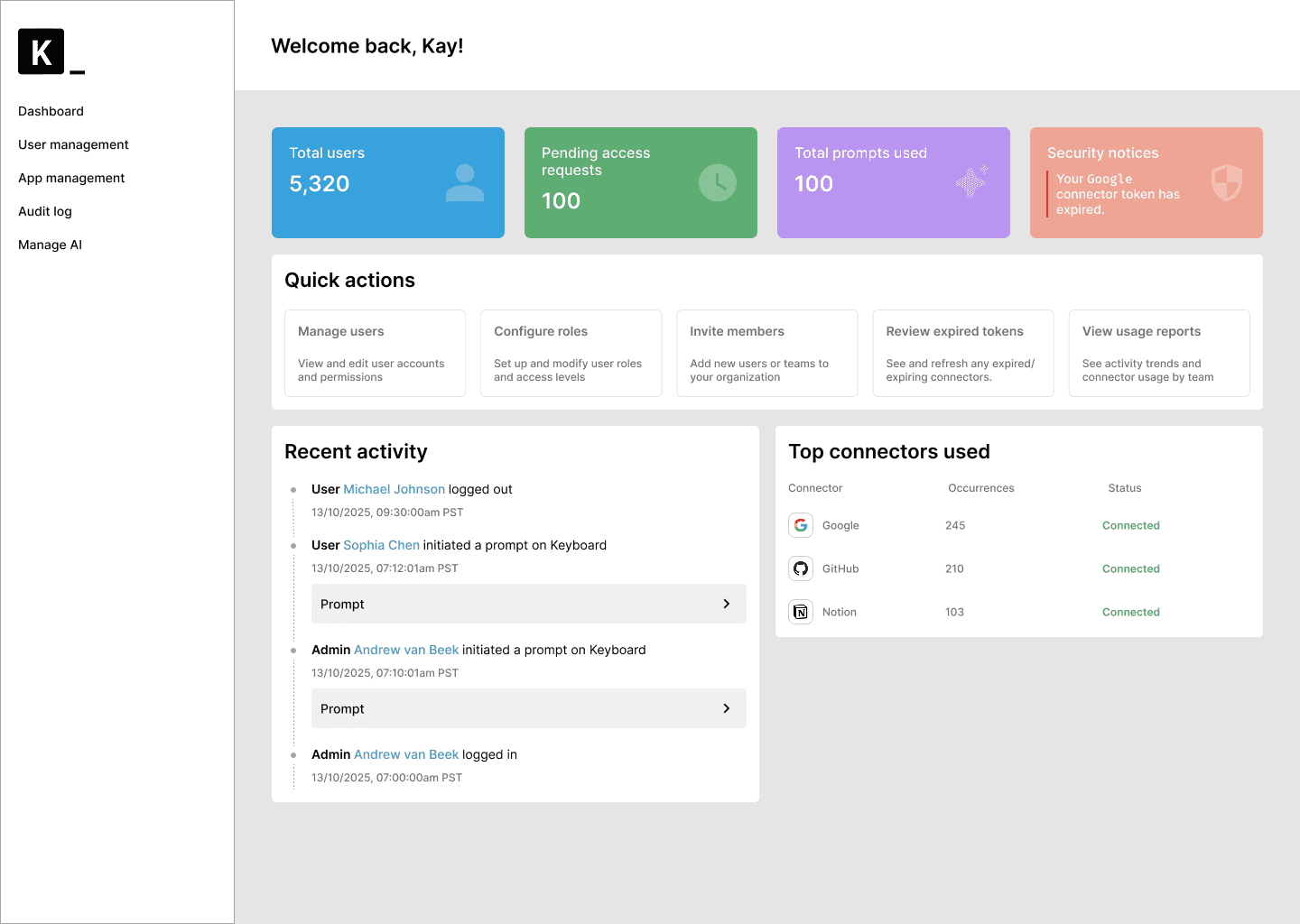
Your teams automate with AI. You manage the security and governance.

"Review my meetings from the week and ensure that all Linear tickets are updated accordingly"

Keyboard analyzes, checks permissions, and prioritizes tasks

Updates Linear tasks and explains what was done

The layer between your data and your AI

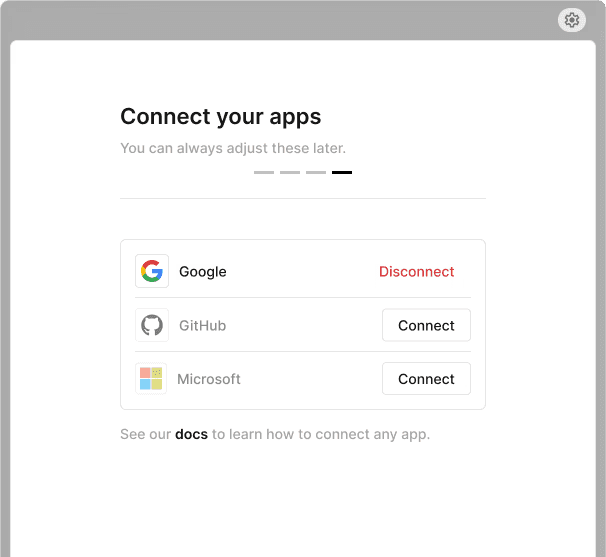
Connect all your applications to Keyboard and unlock productivity for your team
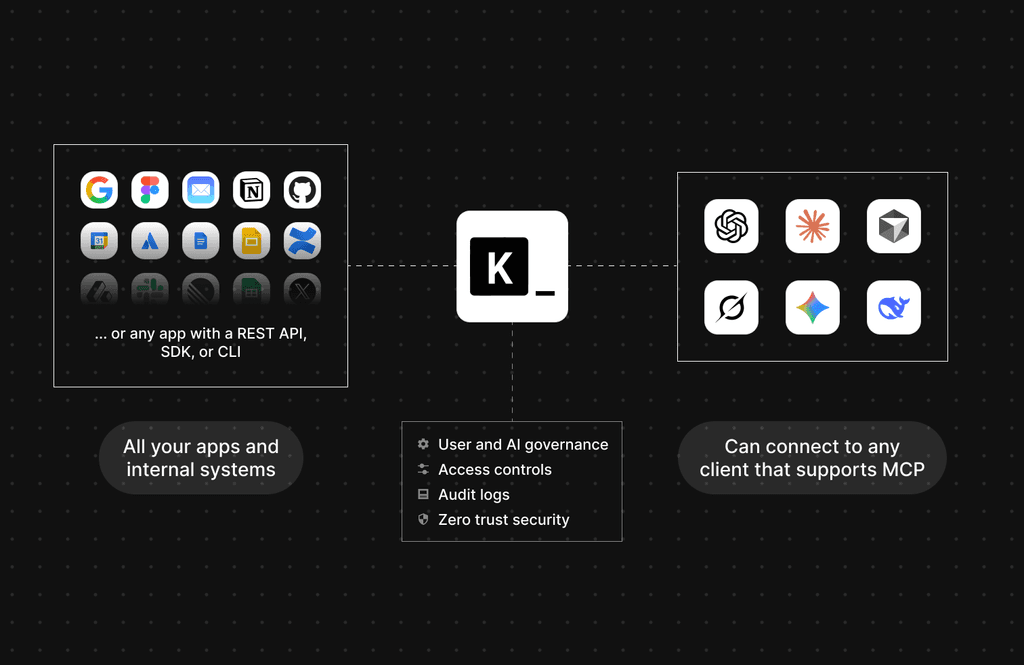
Works with any app that has an
API, MCP, SDK, CLI or via browser use

Out of the box support for all your favorite apps:

One setup, works in any AI Client across your entire org

Built by a team from

and

Empower your teams to work faster

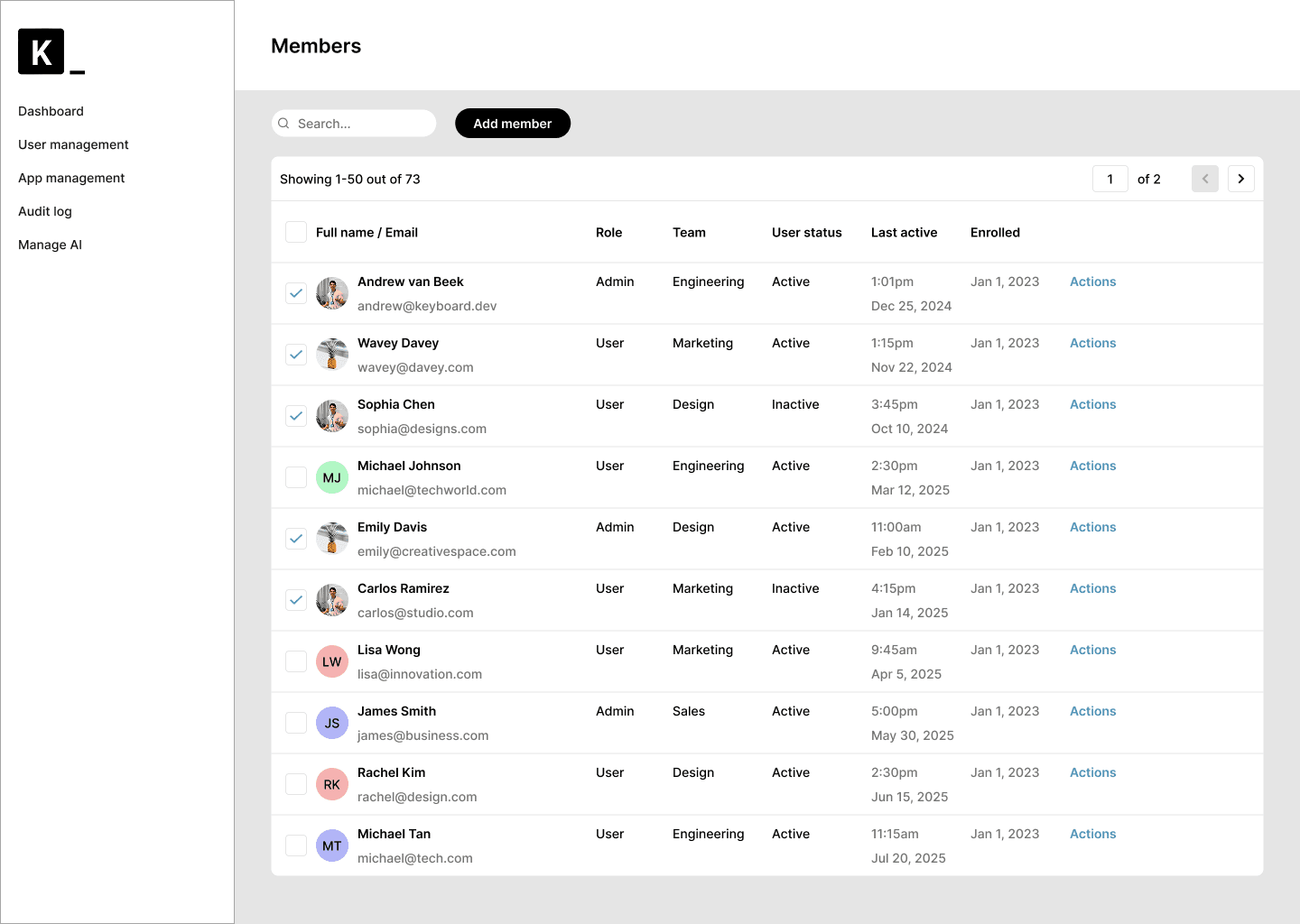
Role-based access

Centralize AI governance with role-based controls that let IT define exactly who can do what.

Deploy on your infrastructure

Run Keyboard in your own environment or use ours while keeping full control over your data and automations.

Employee-friendly, IT-approved

Empower employees to build secure AI-powered workflows using only the tools and models IT approves.

Sandboxed execution

Every task runs in its own isolated sandbox to protect your systems and data.

Complete auditability

Get a complete audit trail of every action and prompt to support security reviews, threat detection, and compliance.

One connection to every app

Connect the AI of your choice to every internal app through a single, secure MCP server.

Data access controls

Control exactly which data each AI workflow can access, keeping sensitive information protected.

Open-source transparency

Because Keyboard is open source, your security team can audit every component—no black boxes.

Zero trust by design

Frequently asked questions

Can I host Keyboard on my own infrastructure?

Yes. You can deploy Keyboard in your own cloud environment such as VPC or private cloud, or use our fully hosted service while still maintaining control over your data. Full on-prem deployment is planned for future releases.

How do I know Keyboard is secure?

Keyboard runs every task in isolated sandboxes, applies granular data access permissions, and logs all actions and prompts for full auditability. These controls keep workflows safe and predictable. You can also deploy Keyboard in your own cloud environment if you prefer to keep execution within your infrastructure.

What AI clients and models do you support?

Keyboard connects to any MCP compatible AI client including ChatGPT, Anthropic, OpenWebUI, Cursor, and more. You also have the option to use our hosted AI client for convenience and centralized management. Set it up once and apply the same governance and controls across every AI client.

What apps can Keyboard connect to?

Keyboard can connect to any system with an API, SDK, CLI, or container including SaaS platforms, internal tools, private services, and legacy systems.

How does Keyboard prevent unauthorized AI actions or data access?

Keyboard enforces role based access, policy rules, and data level permissions so workflows can only act within approved bounds.

Does Keyboard store our prompts or internal data?

If self-hosted, nothing leaves your environment. In hosted mode, you choose what is retained and you can audit the full codebase to confirm how data is handled.

How is pricing structured?

We offer usage based pricing if leveraging our own AI service and enterprise pricing depending on scale and requirements. Early partners may qualify for flexible pricing.

Can I host Keyboard on my own infrastructure?

Yes. You can deploy Keyboard in your own cloud environment such as VPC or private cloud, or use our fully hosted service while still maintaining control over your data. Full on-prem deployment is planned for future releases.

How do I know Keyboard is secure?

Keyboard runs every task in isolated sandboxes, applies granular data access permissions, and logs all actions and prompts for full auditability. These controls keep workflows safe and predictable. You can also deploy Keyboard in your own cloud environment if you prefer to keep execution within your infrastructure.

What AI clients and models do you support?

Keyboard connects to any MCP compatible AI client including ChatGPT, Anthropic, OpenWebUI, Cursor, and more. You also have the option to use our hosted AI client for convenience and centralized management. Set it up once and apply the same governance and controls across every AI client.

What apps can Keyboard connect to?

Keyboard can connect to any system with an API, SDK, CLI, or container including SaaS platforms, internal tools, private services, and legacy systems.

How does Keyboard prevent unauthorized AI actions or data access?

Keyboard enforces role based access, policy rules, and data level permissions so workflows can only act within approved bounds.

Does Keyboard store our prompts or internal data?

If self-hosted, nothing leaves your environment. In hosted mode, you choose what is retained and you can audit the full codebase to confirm how data is handled.

How is pricing structured?

We offer usage based pricing if leveraging our own AI service and enterprise pricing depending on scale and requirements. Early partners may qualify for flexible pricing.

Can I host Keyboard on my own infrastructure?

Yes. You can deploy Keyboard in your own cloud environment such as VPC or private cloud, or use our fully hosted service while still maintaining control over your data. Full on-prem deployment is planned for future releases.

How do I know Keyboard is secure?

Keyboard runs every task in isolated sandboxes, applies granular data access permissions, and logs all actions and prompts for full auditability. These controls keep workflows safe and predictable. You can also deploy Keyboard in your own cloud environment if you prefer to keep execution within your infrastructure.

What AI clients and models do you support?

Keyboard connects to any MCP compatible AI client including ChatGPT, Anthropic, OpenWebUI, Cursor, and more. You also have the option to use our hosted AI client for convenience and centralized management. Set it up once and apply the same governance and controls across every AI client.

What apps can Keyboard connect to?

Keyboard can connect to any system with an API, SDK, CLI, or container including SaaS platforms, internal tools, private services, and legacy systems.

How does Keyboard prevent unauthorized AI actions or data access?

Keyboard enforces role based access, policy rules, and data level permissions so workflows can only act within approved bounds.

Does Keyboard store our prompts or internal data?

If self-hosted, nothing leaves your environment. In hosted mode, you choose what is retained and you can audit the full codebase to confirm how data is handled.

How is pricing structured?

We offer usage based pricing if leveraging our own AI service and enterprise pricing depending on scale and requirements. Early partners may qualify for flexible pricing.

Can I host Keyboard on my own infrastructure?

Yes. You can deploy Keyboard in your own cloud environment such as VPC or private cloud, or use our fully hosted service while still maintaining control over your data. Full on-prem deployment is planned for future releases.

How do I know Keyboard is secure?

Keyboard runs every task in isolated sandboxes, applies granular data access permissions, and logs all actions and prompts for full auditability. These controls keep workflows safe and predictable. You can also deploy Keyboard in your own cloud environment if you prefer to keep execution within your infrastructure.

What AI clients and models do you support?

Keyboard connects to any MCP compatible AI client including ChatGPT, Anthropic, OpenWebUI, Cursor, and more. You also have the option to use our hosted AI client for convenience and centralized management. Set it up once and apply the same governance and controls across every AI client.

What apps can Keyboard connect to?

Keyboard can connect to any system with an API, SDK, CLI, or container including SaaS platforms, internal tools, private services, and legacy systems.

How does Keyboard prevent unauthorized AI actions or data access?

Keyboard enforces role based access, policy rules, and data level permissions so workflows can only act within approved bounds.

Does Keyboard store our prompts or internal data?

If self-hosted, nothing leaves your environment. In hosted mode, you choose what is retained and you can audit the full codebase to confirm how data is handled.

How is pricing structured?

We offer usage based pricing if leveraging our own AI service and enterprise pricing depending on scale and requirements. Early partners may qualify for flexible pricing.

Let your team move faster — securely and stress-free

With control and governance built in, teams can finally focus on what matters — building, not managing

Company

Terms and conditions

Privacy policy

© 2025 Keyboard.dev. All rights reserved.

Company

Terms and conditions

Privacy policy

© 2025 Keyboard.dev. All rights reserved.

Company

Terms and conditions

Privacy policy

© 2025 Keyboard.dev. All rights reserved.

Company

Terms and conditions

Privacy policy

© 2025 Keyboard.dev. All rights reserved.